Run Codex on Your Remote Machines from iPhone/iPad
RemoteVibeCode gives you a mobile front end for remote vibe coding: keep multiple SSH connections open in tabs, pick a project directory, refresh available Codex models from the remote CLI, resume sessions, queue follow-up prompts, and track detached Codex work from a focused remote console.
RemoteVibeCode is designed for users who already work with SSH and Codex on remote systems. It helps you manage that workflow from a mobile device with a simple, tab-based flow:
Connection Tabs: keep multiple remote hosts open at once and switch between them without losing context.
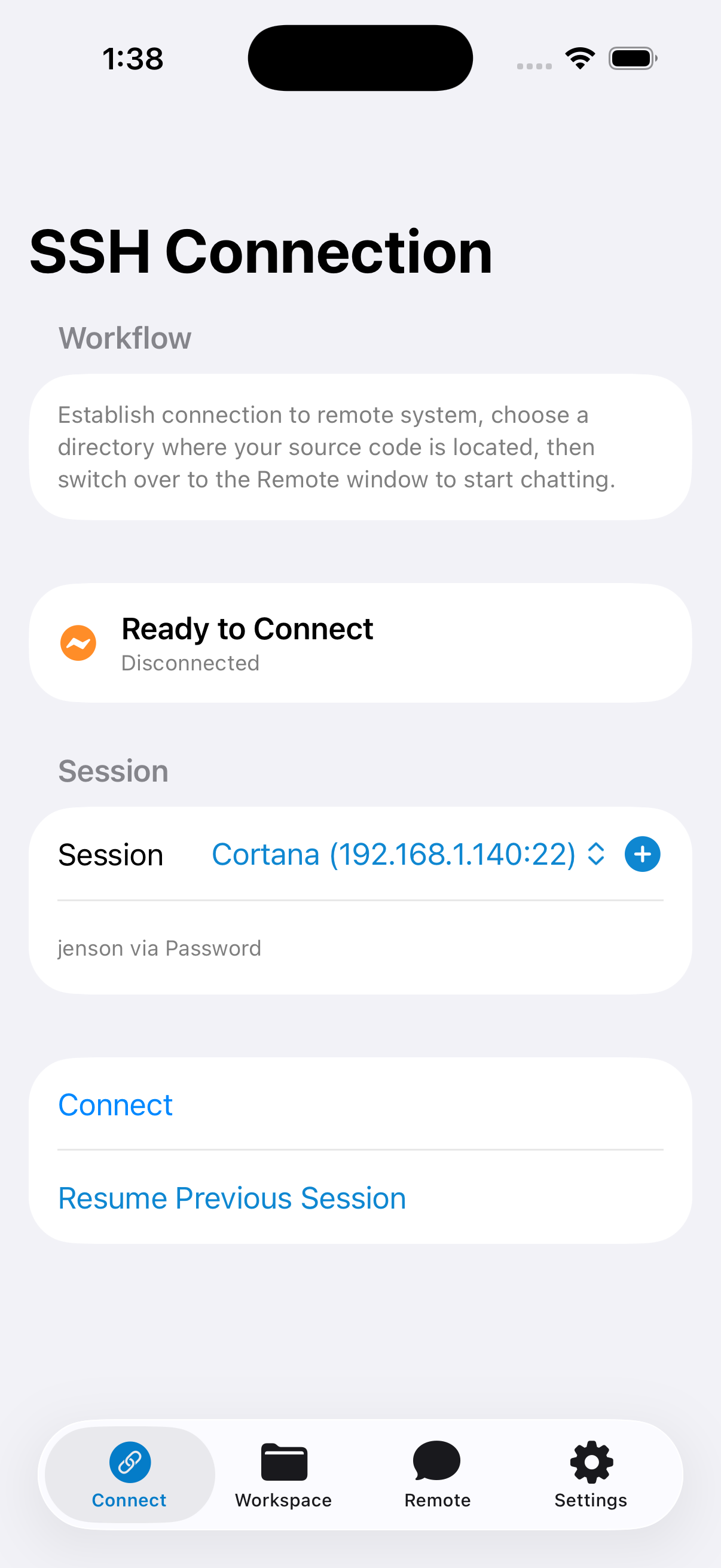
Connect: save and reuse SSH sessions with password or SSH key authentication.
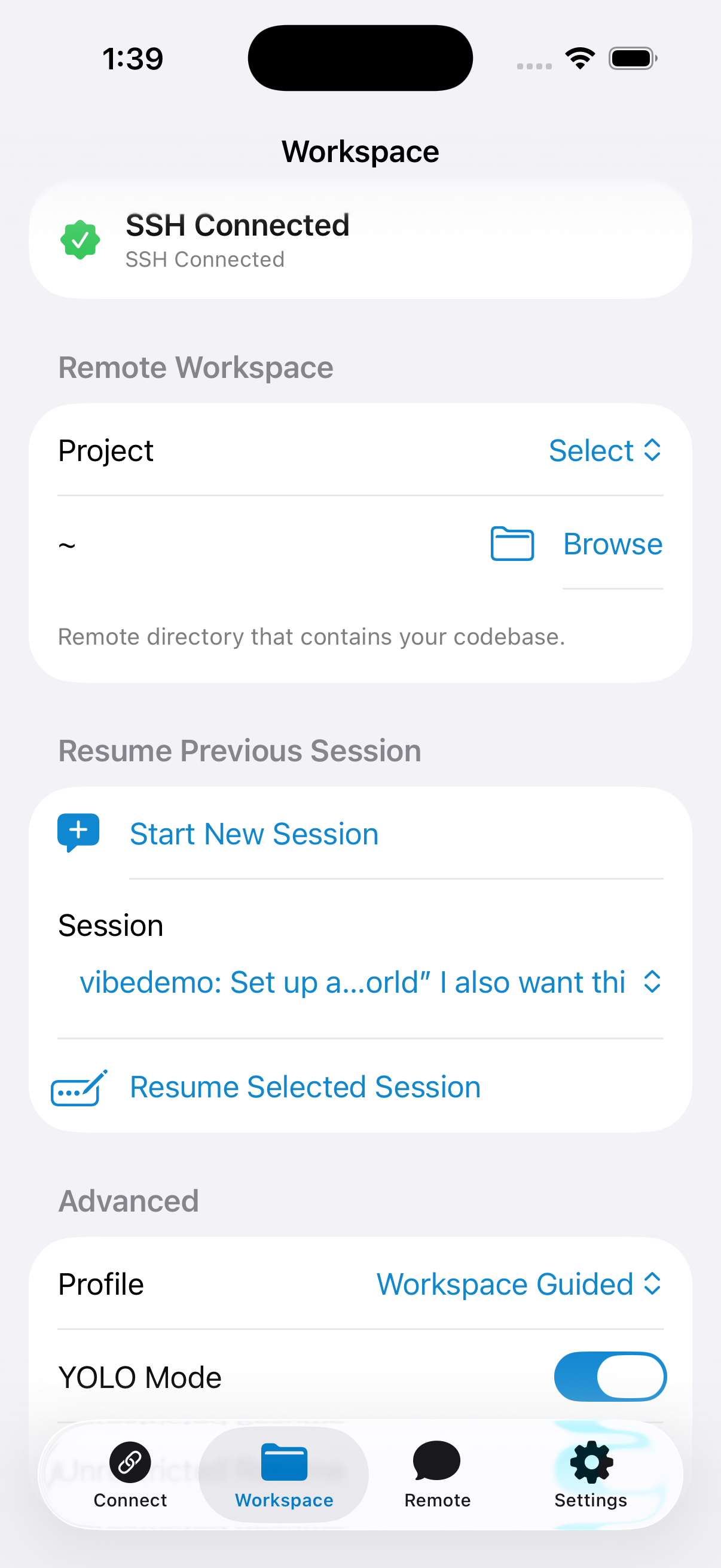
Workspace: browse remote folders and scope sessions to a specific project directory.
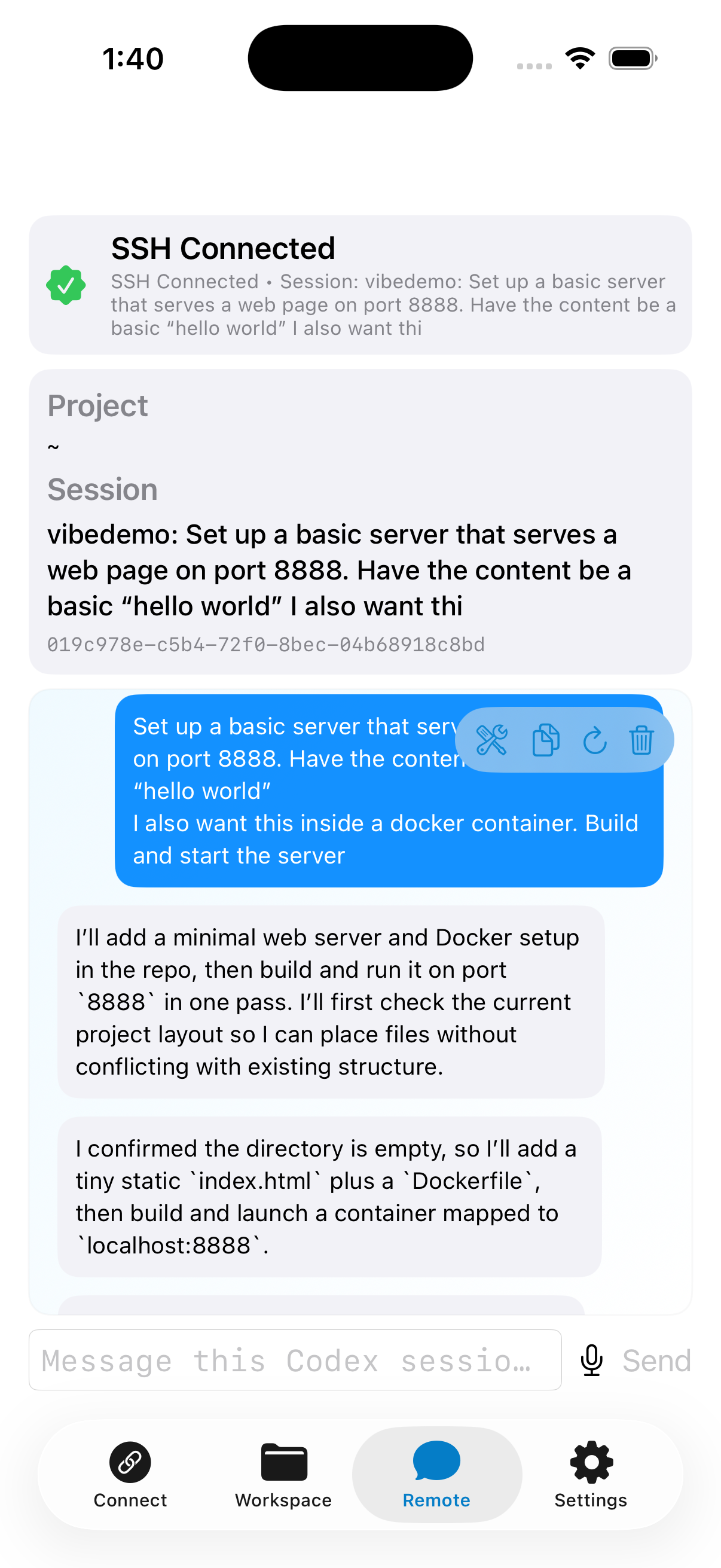
Remote: chat in a Codex session, select from the latest remote Codex models, see output, queue the next prompt, inspect detached jobs, and use voice-to-text input.
Settings: manage saved sessions and SSH keys, sync/export settings, and control remote execution behavior.
Start Here
If you want the shortest path from install to a working remote session, use the quick start.
Confirm SSH access and install Codex CLI on the remote host.
Add a saved session and connect from the Connect tab.
Choose your project in Workspace.
Start or resume a session, then continue in Remote.
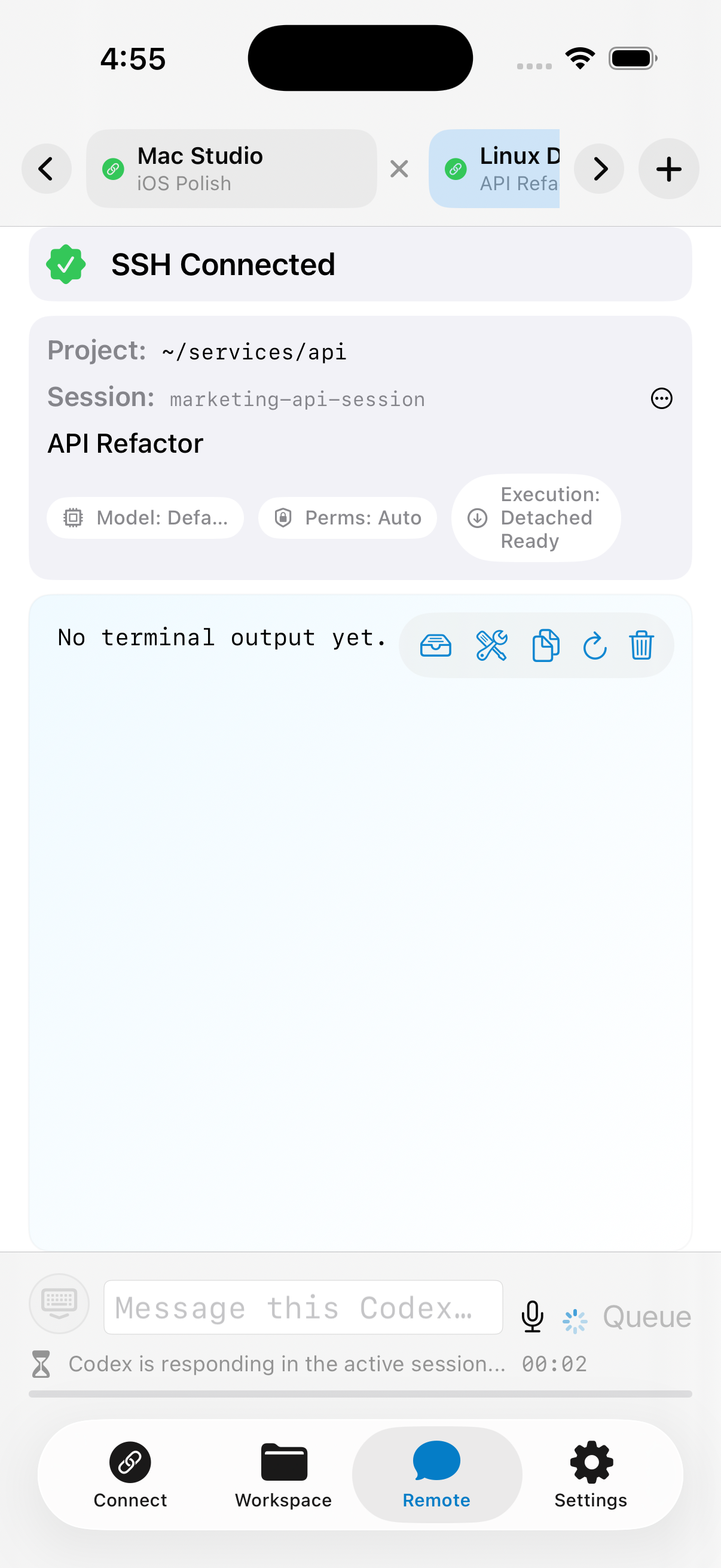
The app now includes a dedicated connection tab strip above the main tab bar. Add a tab for each remote host, switch between active connections, and keep each host's selected workspace and active session separated.
This is useful when you need to compare environments, jump between servers, or keep one Codex conversation open while starting another on a different machine.
Connection tabs keep separate hosts, workspaces, and Codex sessions visible.
Stay on Top of Background Runs
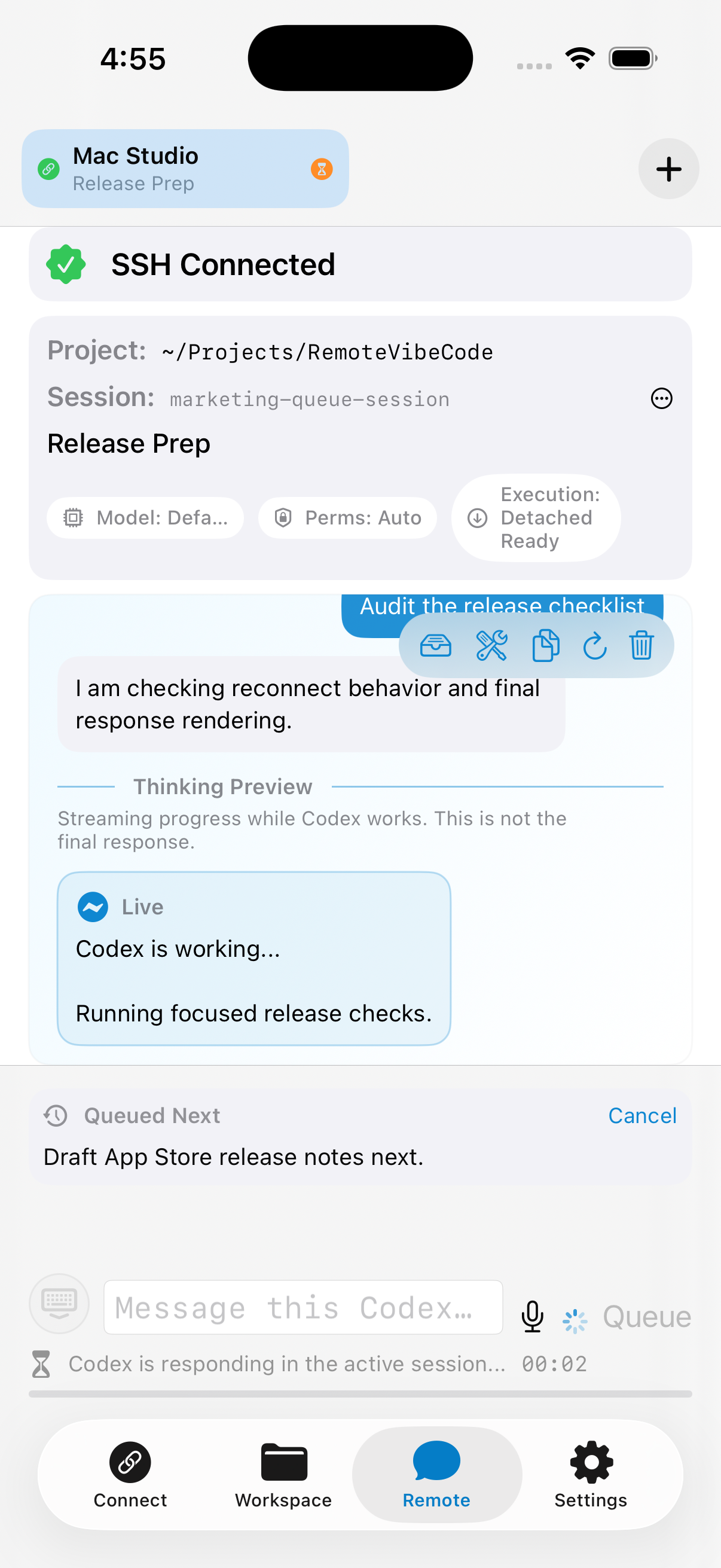
RemoteVibeCode surfaces how a session is running with an execution badge for detached, ready, or foreground-only transport. While Codex is already busy, you can queue the next prompt, watch live file updates, and open the detached jobs dashboard to reopen, cancel, or delete background runs.
Detached jobs now expose richer state such as starting, waiting for output, running, finished, or failed. If you prefer not to use background execution on a host, Foreground Only Mode is available in Settings.
Queue the next prompt while Codex is still working in the active session.
See the Workflow
ConnectWorkspaceRemote
What’s New in 2.0.0
RemoteVibeCode 2.0.0 is the feature-complete release for the current mobile SSH/Codex workflow. Recent updates focused on making remote Codex sessions more resilient, easier to recover, and easier to manage while you move between hosts, model releases, and long-running tasks.
The model picker now refreshes from codex debug models on every successful connect or reconnect.
New Codex models appear automatically after the remote CLI reports them, with a custom model option still available as a fallback.
Codex version checks can now offer package-manager updates for Homebrew cask, npm, and Windows winget installs.
Inline handling for Codex questions and approval-required pauses.
Queued next prompt support, including cancel before it starts.
Reconnect helpers and better stale SSH detection after returning to the app.
Session export/share from the Remote screen.
Top-tab indicators for active work and unread results.
Improved detached runner state tracking and diagnostics.
PowerShell SSH targets are detected and use a PowerShell execution backend where available.